¶ PO Acknowledgment
After a buyer sends a Purchase Order, the supplier must acknowledge receipt and confirm they can fulfill the order. Acknowledgment is the supplier's formal commitment to the order terms — quantities, pricing, and delivery dates.
¶ Full Acknowledgment
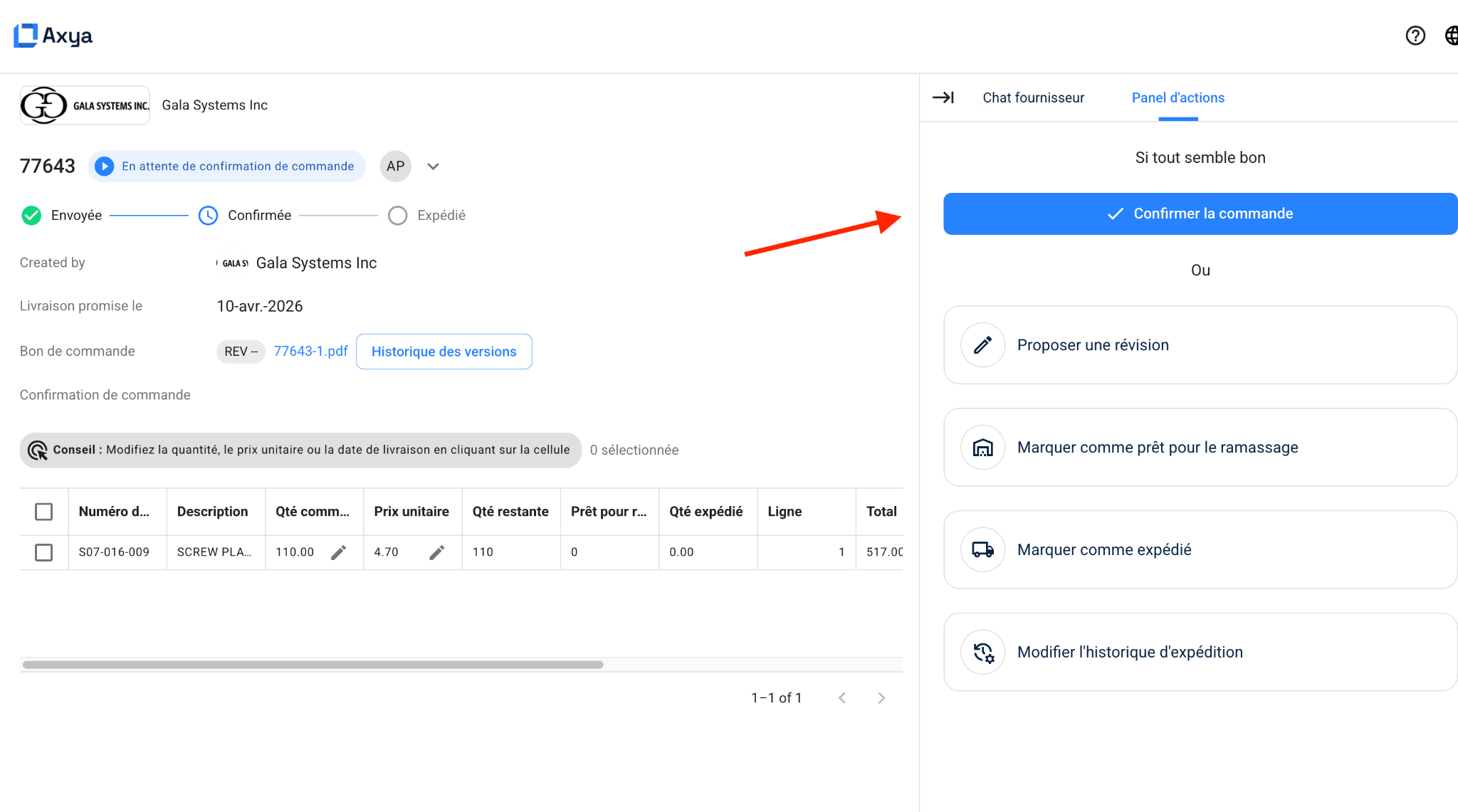
Full acknowledgment confirms the entire order at once.
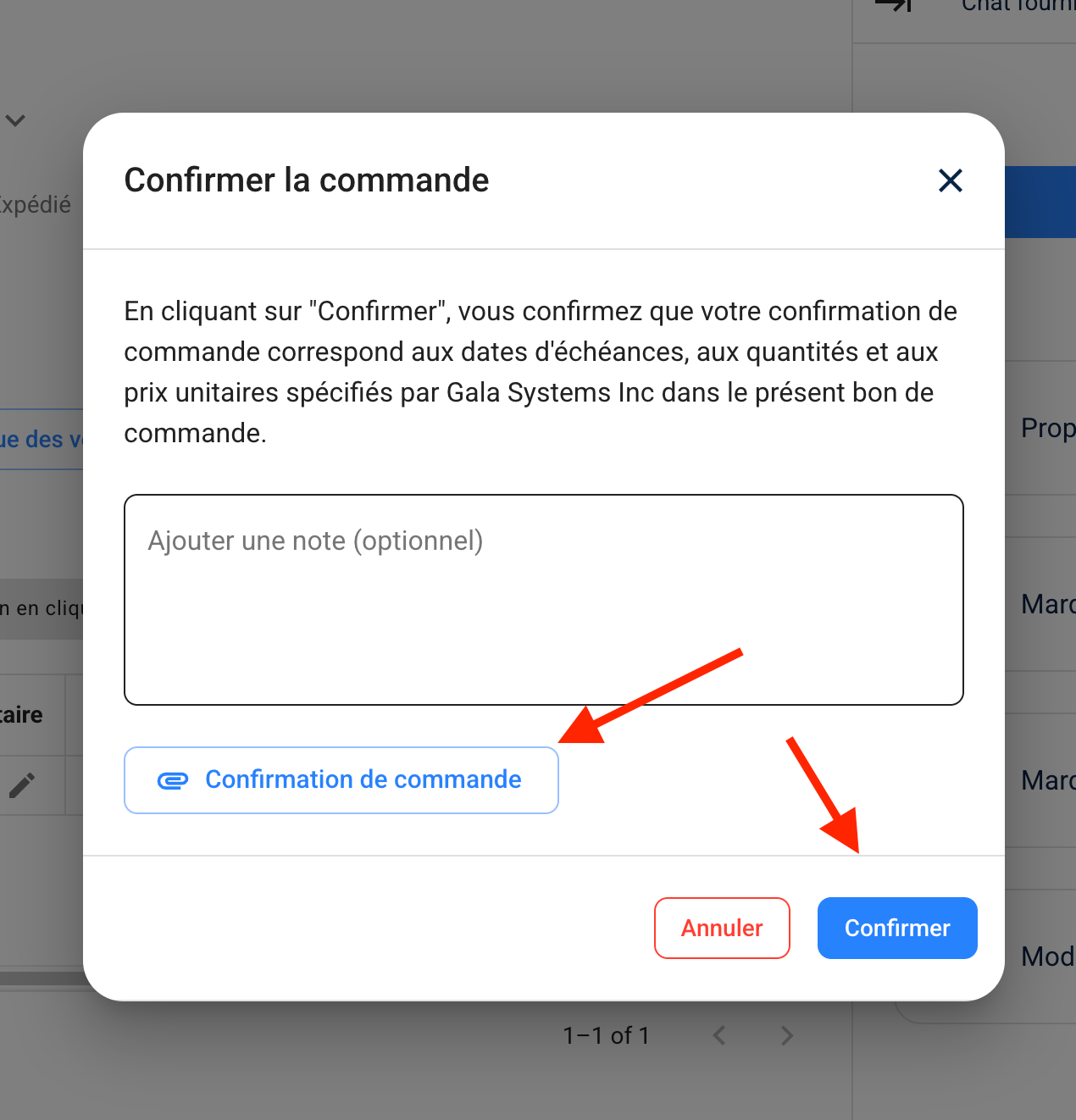
- The supplier opens the order and clicks Acknowledge Order.
- Optionally, they add a note and attach a confirmation file (e.g., an order confirmation PDF).
- The PO status changes from Waiting for Acknowledgment to On Track.
- The buyer sees the acknowledgment timestamp on the order detail page.
Once acknowledged, the order moves forward in the PO Lifecycle and the supplier can begin fulfillment.
¶ Partial Acknowledgment
When enabled for your organization, partial acknowledgment lets the supplier confirm individual line items rather than the full PO.
- Each line item has its own Approve toggle.
- A Select All / Approve All button is available for fast bulk acknowledgment.
- The supplier submits their selection. Approved lines are confirmed; unapproved lines remain open.
- The PO header displays a Partially Acknowledged status so both parties can see progress at a glance.
- Unapproved lines are still eligible for automated follow-up reminders.
- The supplier can return at any time to acknowledge the remaining lines.
¶ Buyer Perspective
The Orders page provides clear visibility into acknowledgment status:
- A Waiting for Acknowledgment state card on the dashboard highlights orders that still need supplier confirmation.
- Automated follow-up reminders are sent to suppliers if they have not acknowledged within a configurable period (typically two to three days after the order is sent).
- For partially acknowledged orders, buyers can drill into the Order Detail Page to see exactly which lines are confirmed and which are still pending.
¶ Supplier Perspective
When a supplier opens an order in the Supplier Order Portal:
- The Acknowledge Order button is displayed prominently at the top of the actions panel.
- All line items are visible for review before acknowledging.
- The supplier can attach an order confirmation document as part of the acknowledgment.
- Instead of acknowledging outright, the supplier may choose to propose changes by clicking Propose Revision. See Revisions for details on that workflow.
¶ What Happens Next
Once a PO is fully acknowledged, it progresses through production, shipping, and delivery stages. For the complete state flow, see PO Lifecycle.
| Previous | Next |
|---|---|
| PO Lifecycle | Revisions |